Tax preparation needs property-level records, not just net payouts in your bank account. First list every address, owner, ownership share and platform. Then download one tax year of records and gather a calendar explaining actual property use.
The specialized Excel file combines core rental income, costs and assets with platform, use and guest-service facts. Choose this file or an existing Schedule E organizer/rental profit and loss report with asset records; do not retype core amounts. Platform routes were checked November 16, 2026; menus and final forms depend on the account and period.
One property, every income source
List the address and listing IDs, all owners, manager, purchase date and rental start. Include direct bookings, Airbnb, Vrbo and other channels. Where one payout combines properties, provide the allocation rather than dividing equally without support.
Identify the owner of the account, tax number and bank account. If a property manager receives funds, obtain a property statement with gross receipts, deductions and owner transfers. A net manager statement does not replace details of costs already paid on your behalf.
Airbnb: annual PDF and property CSV
Choose the relevant dates and listings. The annual PDF gives an overview; CSV supports transaction review. Also keep every issued tax form.
Today → Menu → Earnings → Reports
Open the annual report, then Get PDF report and Download PDF.
Earnings → Paid → Export CSV
Filter dates and listings, choose export contents and save CSV. Record the date filter used.
Vrbo: payout summary
Select the relevant listing on the website. Distinguish reports based on payouts from reports based on stays; annual totals can differ. Retain the selected filter with the file.
Payments → Statements and reports
Open Payout summary, set Start and End dates and the Includes selection, then Download.
Use the relevant payout period to reconcile 1099-K
Vrbo’s reconciliation guide uses Payouts within this date range for the previous calendar year. Provide CSV/XLS with the form and explanations.
Income, cleaning fees, platform fees and payouts
Separate accommodation charges, cleaning fees received, refunds, platform fees, tax withholding and actual payouts. A guest’s cleaning fee and a payment to a cleaner are separate records. Keep support showing which taxes the platform handled and which you paid.
Do not add a 1099-K to the same CSV revenue. Do not deduct fees twice if already included in your profit and loss report. Describe refundable deposits, damage receipts, insurance proceeds and manager deductions separately; a bank-transfer label alone is insufficient.
Use calendar and guest services
Keep bookings with check-in/check-out dates and cancellations. Identify owner/family use, discounted stays, available-but-vacant days and repair periods separately. For a rented room, record total and rented area. Platform availability and actual occupancy are different facts.
Real estate rental is generally considered on Schedule E; substantial services for guest convenience can change treatment. Describe services during stays, such as cleaning, linen changes, meals or concierge support, who performed them and frequency. A short rental period alone does not mean Schedule C.
Costs, furnishings, improvements and losses
Gather management fees, cleaning, supplies, insurance, HOA, utilities, advertising, property tax and mortgage interest. Separate loan principal from interest. For major work retain invoices and descriptions so current costs can be distinguished from improvements.
Provide the closing statement, prior depreciation schedule and furnishings, appliance and improvement list with dates, cost and business use. A bookkeeping loss does not automatically reduce wages; limitations and carryovers may apply. Keep passive-loss history and prior elections with complete returns.
Complete the file and hand over the package
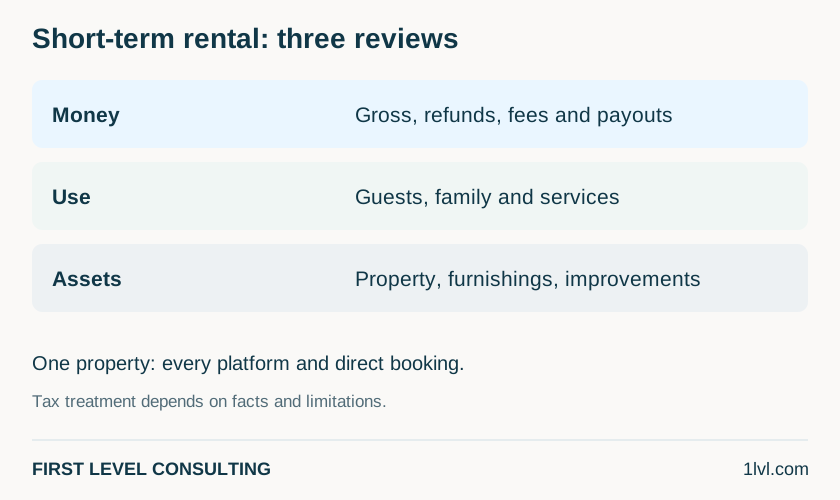
The specialized file can cover the entire property: core amounts and assets, followed by platform, use and service facts. If a completed Schedule E organizer or profit and loss report already contains the core amounts, provide it and add only requested missing information. Identify costs repeated in different documents. Use another file copy for the next property.
If you are new to First Level, provide the latest complete filed return and, when available, the last two years. Include federal and state returns, all schedules, asset/depreciation schedules and carryovers. Tell us when a return is unavailable instead of guessing.
Use the secure channel assigned by our team, TaxesToGo or your personal Egnyte link, including for a scope and fee estimate. Downloading Excel does not send us your information. Do not attach completed organizers, tax forms or identification details to your initial email or SMS.
What to prepare for a discussion
- Addresses, listing IDs, owners, shares and manager.
- All 1099 forms, annual PDF/CSV and manager reports.
- Booking, personal-use, availability and repair calendar.
- Guest-service facts and costs, including amounts already withheld.
- Closing statements, full asset register, depreciation and prior returns.
Questions and answers
Does every Airbnb rental belong on Schedule C?
No. Service and use facts matter; the platform and booking duration alone do not decide treatment.
Do I need both the general Schedule E workbook and this file?
No. The specialized file already includes the core rental organizer and special fact sections. Use it alone, or provide an existing Schedule E/profit and loss report with asset records and add requested missing facts. Do not enter the same amounts twice.
The platform collects occupancy tax. Is everything covered?
Keep platform records and verify local obligations for the property address. Income tax, occupancy tax and local permits are separate matters.
Official sources
- Airbnb — earnings reports, PDF and CSV downloads www.airbnb.com
- Vrbo — download the payout summary help.vrbo.com
- Vrbo — reconcile Form 1099-K with payouts help.vrbo.com
- IRS Publication 527 — residential rental property and personal use www.irs.gov
- IRS Topic 414 — real estate rentals and substantial services www.irs.gov
- IRS Publication 925 — passive activity and at-risk rules www.irs.gov
- IRS Publication 946 — depreciation and asset records www.irs.gov